
 EA App
DLC
Add to Cart
Earn balance eligible
Zuma's Revenge! PC EA App Account
Region
Region-free
Check activation region before purchase.
Platform
EA App
Redeem and play on EA App.
Product type
Digital key
CD key / digital code after payment.
Before you reveal
Key stays hidden
Ask support about a refund before revealing. Revealed keys can't be refunded.
Works on
- Windows
About the game
Zuma's Revenge! PC EA App Account
An irresistible force has taken our fearless frog to an island where the ribbeting puzzle-action of Zuma has evolved in amazing ways… but evil spirits and tenacious tiki bosses rule the land! Survive the ire of the island by firing stone spheres to destroy the deadly stream of balls.
Conquer over 60 levels by staying sharp and avoiding hidden traps.Slide and hop for smarter shots; hit targets for exotic bonuses; detonate new power-up balls; battle six imposing tiki bosses and guide your agile amphibian to victory in four all new game modes!
- Digital delivery — key appears in My orders
- Pay with Balance · Stripe · Crypto
- EA App key — redeem on EA App
System Requirements
Minimum and recommended specs when provided by the publisher or platform.
WINDOWS
How to Activate
Redeem your digital key on EA App.
- "Please remember that we are NOT responsible for any problems that may arise from purchasing and using Steam Gifts. You are doing it at your own risk. "Please note, that due to recent Valve Steam Gift policy update Steam Gifts for games that are covered by VAC ban program can no longer be added to Inventory. Make sure that you are logged in to the proper account before entering the link as Steam Gifts can be only added to your library or rejected. How do I use a Steam gift given to me? If you do not already have Steam, download and install Steam here. Once you have Steam installed, you will be prompted to create an account or login to an existing Steam account. If you do not have an account, please create one. You will receive an e-mail containing a link that will open Steam allowing you to redeem your gift. After clicking the link, you will receive a notification at the top right corner in the Steam client informing that you have a new gift.
Before you redeem
Keys are single-use. Confirm region and platform match your account (see hero details). Contact support if redemption fails.
Zuma's Revenge! PC EA App Account
 EA App
In stock
$2.79
- Your price
- $2.79
- Redeem region
- Region-free
- Code delivery
- Often within minutes of payment, sometimes a few hours while we confirm it. Balance orders are checked by our team first. You'll see the status in My orders.
- Activate on
- EA App
Pay $2.79 with Visa or Mastercard — often delivered within minutes.


 Apple Pay
Google Pay


 Card payments by Stripe · Apple Pay / Google Pay where your device supports it
Earn balance from offers and pay with it — or use card/crypto.
- Delivered to your accountOften within minutes, sometimes a few hours while we confirm the payment. We email you when it's ready.
- Key stays hidden until you reveal itChanged your mind before revealing? Contact support about a refund. Revealed keys can't be refunded. Refund & delivery policy
- Secure checkoutCards are handled by Stripe and crypto by NOWPayments. We never see your card number.
Instant digital delivery
Key in your account seconds after payment
Verified key
Authorized supplier · guaranteed to work
14-day refund policy
Full refund on unused keys
EA App
DLC
Add to Cart
 EA App
Add to Cart
EA App
Add to Cart
EA App
Add to Cart
EA App
Add to Cart
 EA App
DLC
Add to Cart
 EA App
DLC
Add to Cart
 EA App
Add to Cart
 EA App
Add to Cart
EA App
Add to Cart
EA App
Add to Cart
EA App
Add to Cart
 EA App
Add to Cart
 EA App
Add to Cart
EA App
Add to Cart
 EA App
DLC
Add to Cart
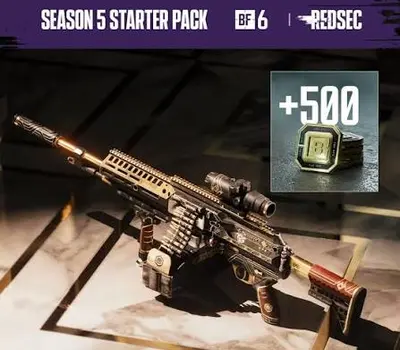
Battlefield 6 and REDSEC - Season 5 Starter Pack DLC Battlefield Pro DLC PC EA App CD Key
$24.69
Rest of world
Low stock
CashVers
$2.79
our price
HOW PRICING WORKS
We pass offerwall revenue back to you. Earn on CashVers, spend it here — or pay with card/crypto.


