Steam
Add to Cart
Check activation region before purchase.
Redeem and play on Steam.
CD key / digital code after payment.
Ask support about a refund before revealing. Revealed keys can't be refunded.
About the game
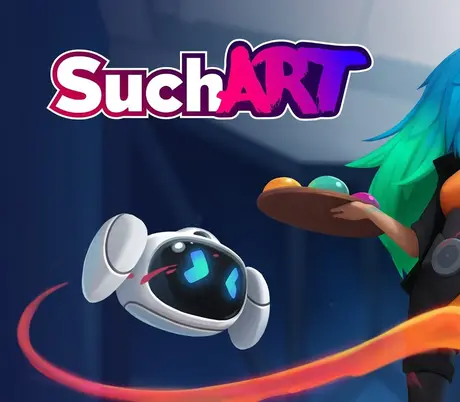
In SuchArt you are a genius artist living in the year 2130. Make the best of the space studio you own. Create art with a large variety of tools, sell your works, get famous and upgrade your studio! Let your imagination run wild and create the art of your dreams!
Features PAINT EVERYWHERETurn the world around you into a huge canvas and do whatever you please with it — add some red to that gloomy wall, spill paint on the floor and call it abstract expressionism, or start a collection of alphabet paintings from A to Z: this place is yours after all! Wait, how did you mess up your studio that much that fast?
Not satisfied with the initial look and/or functionality of your studio? That’s okay, because you can always unlock new rooms, buy some furniture and decorations, and place those however and wherever you want — make yourself at home! Wait, what do you mean you don’t have enough money?!
Sell your paintings at the marketplace, fulfill all your clients' orders, and receive a generous reward, or maybe a gift! Or maybe some exposure, the best of all currencies out there. Don't forget that you can exhibit your amazing art and see what critics have to say about it.
Painting in SuchArt feels just like in real life, but without the downsides. The colors mix as you would naturally expect them to, so you can easily achieve the result you dreamed about. The paint has realistic texture, and each instrument alters it a bit with different strokes. There’s plenty of instruments to choose from: brushes, palette knives, stencils or even flamethrowers to create your next masterpiece.
They say down on Earth the robots are revolting and the Crabuxes covet the planet’s saltwater. But surely that’s none of your business. Or, is it?
Minimum and recommended specs when provided by the publisher or platform.
Redeem your digital key on Steam.
Keys are single-use. Confirm region and platform match your account (see hero details). Contact support if redemption fails.
SuchArt: Genius Artist Simulator PC Steam Account
 Steam
In stock
Pay $15.32 with Visa or Mastercard — often delivered within minutes.


 Apple Pay
Google Pay


 Card payments by Stripe · Apple Pay / Google Pay where your device supports it
Earn balance from offers and pay with it — or use card/crypto.
We pass offerwall revenue back to you. Earn on CashVers, spend it here — or pay with card/crypto.