
 Other
Add to Cart
Earn balance eligible
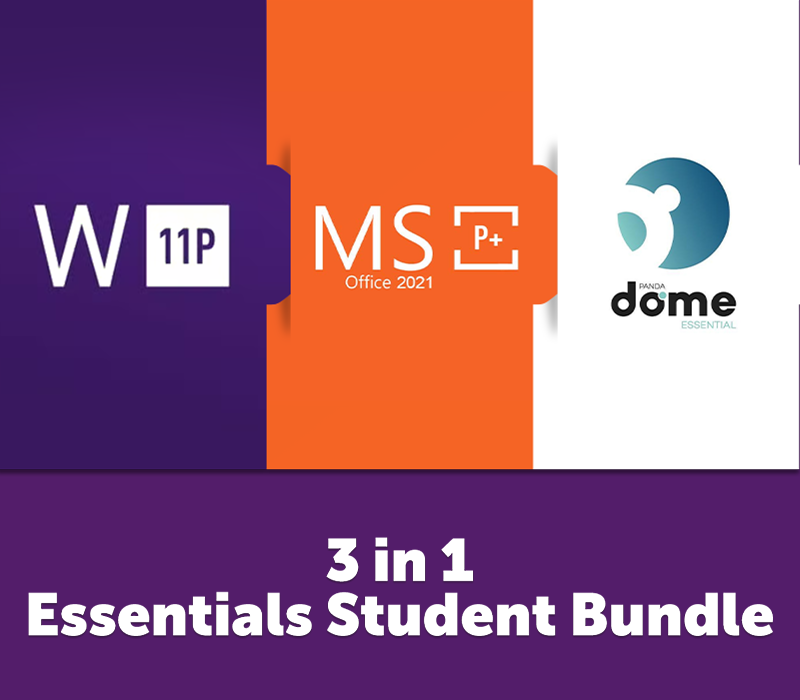
Student Essentials Bundle
Region
Rest of the world (RoW) - custom
Check activation region before purchase.
Platform
Other
Redeem and play on Other.
Product type
Digital key
CD key / digital code after payment.
Before you reveal
Key stays hidden
Ask support about a refund before revealing. Revealed keys can't be refunded.
About the game
Student Essentials Bundle
Whether you’re starting a new semester or looking to upgrade your current setup, this bundle has all the essentials for students who are ready to tackle their studies – and maybe some Netflix too: Windows 11 Pro: The latest Windows operating system offers a fresh, modern interface with enhanced productivity features perfect for students.With its clean design and new features like Snap layouts and virtual desktops, Windows 11 Pro helps you manage your workload with ease.It’s designed to adapt to your study habits, whether you’re writing essays, conducting research, or attending online classes.
Get the newest tools to make your assignments shine, from Excel for your data projects to Word for your essays to polished presentations – MS Office 2021 Pro Plus has it all. PowerPoint helps you create presentations that wow, while OneNote keeps all your notes organized and easily accessible. Plus, the latest features mean you’re always working with the most up-to-date tools.
Panda Antivirus (Dome Essential): Stay secure online with top-notch antivirus protection – because you don’t need any extra distractions while studying. That’s where Panda Dome Essential steps in. This antivirus software ensures your computer is protected from any unwanted intrusions, keeping your data safe and your system running smoothly. It’s simple to use and keeps your device secure without slowing you down, so you can focus on what matters most – your studies.
This bundle’s got everything you need to ace your school year and beyond. Study hard, stay secure, and rock that student life!
- Digital delivery — key appears in My orders
- Pay with Balance · Stripe · Crypto
- Other key — redeem on Other
System Requirements
Minimum and recommended specs when provided by the publisher or platform.
System requirements were not supplied for this product. Check the publisher store page or platform listing before purchase.
How to Activate
Redeem your digital key on Other.
- Windows 11 Pro: This product cannot be used to upgrade your system from another version! To download Windows 11 visit this https://www.microsoft.com/en-us/software-download/windows11. During installation, you'll be prompted to enter a product key. Or, after installation, to enter the product key, select the Start button, and then select Settings > System > Activation. If you encounter any errors during activation process, check this https://support.microsoft.com/en-us/windows/get-help-with-windows-activation-errors-09d8fb64-6768-4815-0c30-159fa7d89d85. MS Office 2021 Professional Plus: In order to activate the product, please follow one of the recommended instructions: ______________________________________________________________________________________________________ Log into your account / Create a new account https://account.microsoft.com/. Go to https://account.microsoft.com/billing/redeem website. Enter your key and confirm. Your product is now activated. You can download the client directly from the website. Please remember that the product key activated this way will be connected directly to your account. Therefore please always make sure to log in on your PC to the correct account, where the license was activated. ______________________________________________________________________________________________________ Log-in to or create an account https://login.live.com/. After you created the account follow this https://kingu.in/1lc0 (you might have to login with your just created account first). Enjoy your newly acquired Office suite! ______________________________________________________________________________________________________ In case of a problem with activating the product with your key, please use the automated phone system* to activate: In the Activation Wizard, select I want to activate the software by telephone, and then select Next. If nothing happens when you select Next, use the Enter key on your keyboard. Under Step 1 in the Activation Wizard, select your country/region, and then call the Product Activation Center phone number that’s listed under the country/region you selected. When prompted by the Product Activation Center, provide the Installation ID that's shown in the Activation Wizard under Step 2. The Product Activation Center will provide a Confirmation ID that you enter in the Activation Wizard under Step 3. Select Next and follow the prompts to complete the activation process. If nothing happens when you select Next, use the Enter key on your keyboard. Panda Antivirus: Access your https://myaccount.pandasecurity.com/. If you don't have an account, create one. Click on the "I have a code button" and enter the activation code.
Before you redeem
Keys are single-use. Confirm region and platform match your account (see hero details). Contact support if redemption fails.
Student Essentials Bundle
Other
In stock
$39.28
- Your price
- $39.28
- Redeem region
- Rest of the world (RoW) - custom
- Code delivery
- Often within minutes of payment, sometimes a few hours while we confirm it. Balance orders are checked by our team first. You'll see the status in My orders.
- Activate on
- Other
Pay $39.28 with Visa or Mastercard — often delivered within minutes.


 Apple Pay
Google Pay


 Card payments by Stripe · Apple Pay / Google Pay where your device supports it
Region: REST OF THE WORLD (ROW) - CUSTOM. Confirm it activates in your country before purchase.
Does not activate in: TR, AQ, BV, TF, HM, GS.
Earn balance from offers and pay with it — or use card/crypto.
- Delivered to your accountOften within minutes, sometimes a few hours while we confirm the payment. We email you when it's ready.
- Key stays hidden until you reveal itChanged your mind before revealing? Contact support about a refund. Revealed keys can't be refunded. Refund & delivery policy
- Secure checkoutCards are handled by Stripe and crypto by NOWPayments. We never see your card number.
Instant digital delivery
Key in your account seconds after payment
Verified key
Authorized supplier · guaranteed to work
14-day refund policy
Full refund on unused keys
Other
Add to Cart
 Other
Add to Cart
 Other
Add to Cart
CashVers
$39.28
our price
HOW PRICING WORKS
We pass offerwall revenue back to you. Earn on CashVers, spend it here — or pay with card/crypto.


