

 Steam
Add to Cart
Check activation region before purchase.
Redeem and play on Steam.
CD key / digital code after payment.
Ask support about a refund before revealing. Revealed keys can't be refunded.
About the game
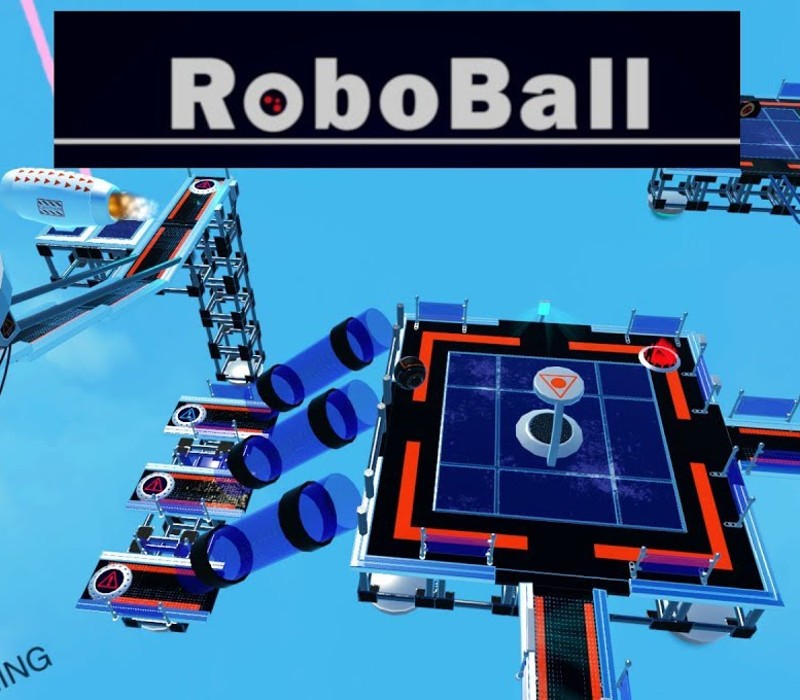
RoboBall is a game in which you control a ball-shaped robot and solve physics- and logic-based puzzles. Your goal is to control various mechanisms in order to reach the end of the level, where you will find a teleporter that will take you to the next level. PuzzlesOn every stage you will find a large number of different mechanisms, buttons, laser switches, and doors.
To open a door, start an elevator, or simply activate a certain mechanism, you will need to activate a button. Sometimes you can't do it by yourself and will need some help from metal balls, barrels, or crates. But don't forget that they might also need your help to perform certain actions. WorkshopRoboBall has a level editor that is very flexible and packed with functionality. All of the levels in the game were created using this editor. Place static objects such as zones, paths, glass tubes, and metal tracks.
Active objects perform various functions. These include doors, elevators, and machines that create metal balls, crates, or barrels. Buttons deserve special attention. You can use them to open or close doors, activate elevators, or deactivate turbines that are preventing you or any other physical object from advancing.
There are two different kinds of buttons in the game: switches, which activate the objects they are linked to and then turn them off again when pressed a second time, and triggers, which activate objects as long as you or another physical object remains on top of them. When the object leaves the trigger, the objects linked to the button are deactivated. Once you've created a level you can publish it in the workshop. You can also play other players' levels.
Minimum and recommended specs when provided by the publisher or platform.
Redeem your digital key on Steam.
Keys are single-use. Confirm region and platform match your account (see hero details). Contact support if redemption fails.
Roboball EU PC Steam CD Key
 Steam
In stock
Pay $3.17 with Visa or Mastercard — often delivered within minutes.


 Apple Pay
Google Pay


 Card payments by Stripe · Apple Pay / Google Pay where your device supports it
Earn balance from offers and pay with it — or use card/crypto.
Steam
Add to Cart
 Steam
Add to Cart
 Steam
Add to Cart
 Steam
Add to Cart
 Steam
Add to Cart
 Steam
Add to Cart
 Steam
Add to Cart
 Steam
Add to Cart
 Steam
DLC
Add to Cart
 Steam
Add to Cart
 Steam
Add to Cart
 Steam
Add to Cart
 Steam
Add to Cart
 Steam
Add to Cart
 Steam
Add to Cart
 Steam
Add to Cart
We pass offerwall revenue back to you. Earn on CashVers, spend it here — or pay with card/crypto.


