Steam
Add to Cart
Check activation region before purchase.
Redeem and play on Steam.
CD key / digital code after payment.
Ask support about a refund before revealing. Revealed keys can't be refunded.
About the game
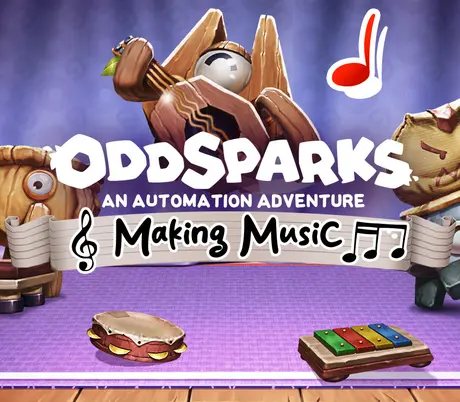
Build. Automate. Compose. Strike up the band and march to the beat of your own automation in the Making Music DLC for Oddsparks: An Automation Adventure! This playful yet powerful DLC introduces a brand-new musical system that lets you turn your factory into a fully orchestrated machine of rhythm and melody. Let your creativity resonate.
Add music to your mechanics, and harmony to your hustle!
This DLC includes: New logic items: Musical Pressure Plate (Tier 2) and Musical Speaker (Tier 4) New Sawbench recipes: toy piano, toy flute, toy lute, and toy xylophone (Tier 2) New workstation: Musical Workstation (Tier 2) New Musical Workstation recipes: 12 notes and 2 octave markers (Tier 2) New path add-on: Metronome (Tier 2) New decoration: Spark Showcase – Band (Tier 1) New quests: Musical Constructions (Tier 2) and Musical Speaker (Tier 4) Compose as You BuildEvery Spark step can now strike a chord, literally!
Use Musical Pressure Plates to play sounds as Sparks pass by, and control Musical Speakers through the logic systems to bring complex arrangements to life. Timing is Spark-based, and every existing item can now be used to create different sounds. Craft Your Instruments & SoundsUnleash your musical creativity! Unlock the Musical Workstation and craft a complete set of 12 musical notes and 2 octave markers.
And there's more: your Sawbench can now fashion four charming toy instruments (piano, flute, lute, and xylophone), ideal for bringing a touch of melody to your workshops. Set the StageWant to see your Sparks rock out? Build the Spark Showcase - Band, a dedicated concert stage where your Sparks perform together in sync.
Minimum and recommended specs when provided by the publisher or platform.
Redeem your digital key on Steam.
Keys are single-use. Confirm region and platform match your account (see hero details). Contact support if redemption fails.
Oddsparks - Making Music DLC PC Steam CD Key
Pay $8.28 with Visa or Mastercard — often delivered within minutes.


 Apple Pay
Google Pay


 Card payments by Stripe · Apple Pay / Google Pay where your device supports it
Earn balance from offers and pay with it — or use card/crypto.
We pass offerwall revenue back to you. Earn on CashVers, spend it here — or pay with card/crypto.