Steam
Add to Cart
Check activation region before purchase.
Redeem and play on Steam.
CD key / digital code after payment.
Ask support about a refund before revealing. Revealed keys can't be refunded.
About the game
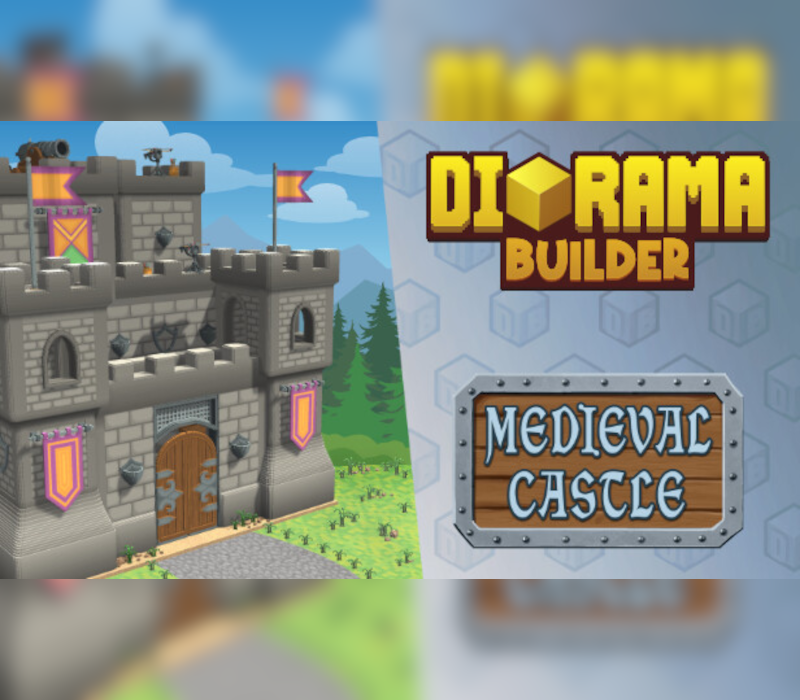
This expansion of DIORAMA BUILDER brings the diorama "MEDIEVAL CASTLE", which will allow you to assemble a complete Medieval Castle, with a royal bedroom, weapons room, prison, main hall, kitchen and everything with lots of details, such as armor, cannons, crossbows and much more!
Quantity of pieces \ Series Below we will describe some of the details of the scenario that you will create in this diorama: CASTLE HALL The Castle Hall, where the armor guards its entrance and where the large table is located, with the king's throne, the chairs for the guests, and the abundant food for the banquet.
The royal bedroom, with its large bed, covered by a beautiful veil, the bookshelf with stories of battles and reigns, chandeliers, curtain, mirror, and a large chest... what is inside it?
The kitchen, with its crockery and silverware, plenty of food, and everything necessary for the great royal banquets. In addition, a good supply of mead and of course, the mice couldn't be missing!
The cannons are powerful weapons in the defense of the castle. And the coolest thing about being able to assemble them is that in interaction mode, you'll be able to fire them and see the big metal bullets fly across the scene. As with all other dioramas in DIORAMA BUILDER: THE MUSIC IS ORIGINAL and made exclusively for this diorama.
When completing the diorama, animations will be automatically activated in the scene and INTERACTION MODE will be activated, giving you access to interact with it, clicking on several pre-defined places to see very cool animations. In INTERACTION MODE you can activate NIGHT MODE, turning on all the scene lights at once and thus being able to enjoy a very special view of the diorama. You will have new ACHIEVEMENTS for you to conquer!
Minimum and recommended specs when provided by the publisher or platform.
Redeem your digital key on Steam.
Keys are single-use. Confirm region and platform match your account (see hero details). Contact support if redemption fails.
Diorama Builder - Medieval Castle DLC PC Steam CD Key
Pay $0.95 with Visa or Mastercard — often delivered within minutes.


 Apple Pay
Google Pay


 Card payments by Stripe · Apple Pay / Google Pay where your device supports it
Earn balance from offers and pay with it — or use card/crypto.
We pass offerwall revenue back to you. Earn on CashVers, spend it here — or pay with card/crypto.