Steam
Add to Cart
Check activation region before purchase.
Redeem and play on Steam.
CD key / digital code after payment.
Ask support about a refund before revealing. Revealed keys can't be refunded.
About the game
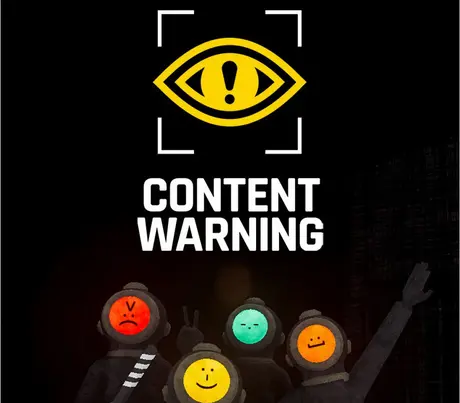
HERE'S THE PLAN! Get famous or die trying! Content Warning is a co-op horror game where you film spooky stuff with your friends to try and go viral.
STEP ONE:Squad up, customize your face with the ASCII face customiser, buy some gear and use the diving bell to go down to the Old World!Down there you’ll encounter scary physics-animated monsters, cursed relics and other artefacts!STEP TWO:Film as many scary things as possible before you run out of oxygen, camera battery or friends… STEP THREE:If you survive, you need to get back in the diving bell to transport you and the remaining members of your team to the surface.
Every run goes on for 3 days, the more scary stuff you film, the more you go viral. The ad revenue from your SpöökTube videos enables you to upgrade your gear to film better videos and survive more easily in the Old World. If your team accumulates enough views in three days - you get to keep going with your SpöökTube Career and live a life of fame and fortune! What could possibly go wrong?
Features In-game handheld working video camera 2-4 player online coop Voice chat ASCII face customisation Make and save in-game recordings Your friends looking and acting silly Scary animated physics monsters Cursed artefacts Flashlights (many) Fame (maybe)
Minimum and recommended specs when provided by the publisher or platform.
Redeem your digital key on Steam.
Keys are single-use. Confirm region and platform match your account (see hero details). Contact support if redemption fails.
Content Warning PC Steam Account
 Steam
In stock
Pay $0.82 with Visa or Mastercard — often delivered within minutes.


 Apple Pay
Google Pay


 Card payments by Stripe · Apple Pay / Google Pay where your device supports it
Earn balance from offers and pay with it — or use card/crypto.
We pass offerwall revenue back to you. Earn on CashVers, spend it here — or pay with card/crypto.