Steam
Add to Cart
Check activation region before purchase.
Redeem and play on Steam.
CD key / digital code after payment.
Ask support about a refund before revealing. Revealed keys can't be refunded.
About the game
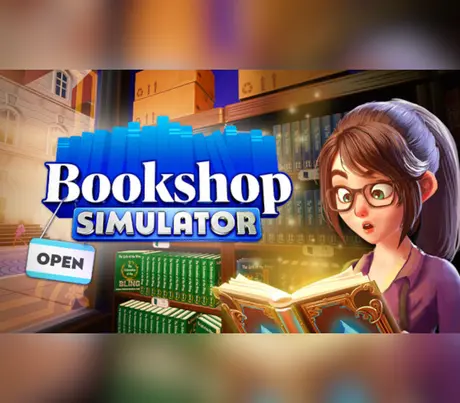
Run Your Own Bookshop Fulfill your dream of owning and operating your own bookshop. Buy and sell inventory and use the profits to decorate and expand your shop. Build your business from a small boutique shop into a retail empire! Stock and Sell Products Buy and place bookshelves, then fill them with new books, comics, board games, and other items to sell. Run the cash register to earn revenue.
As your business grows, hire employees to be cashiers and item stockers so you can focus on expansion. Open New Locations Expand your reach to new locations around the world. Use your income from established shops to help set up new shops. Travel between shops to manage them and optimize your profits. Early access will launch with the France and Japan locations. Set the Vibes Use your profits to customize your store. Choose walls and floors. Decorate with rugs, plants, wall art, and more!
Create specialized sections for your favorite genre, or build cozy book nooks. Get Powerful Abilities from Rare Books Get boxes of used books that may contain rare mythical books. These books have powerful abilities to improve your profits and capabilities. Adopt a Shop Cat Adopt a cat to keep you and your customers company every day in the shop. Buy food, a bed, and other items to keep the cat active and happy in the store.
Minimum and recommended specs when provided by the publisher or platform.
Redeem your digital key on Steam.
Keys are single-use. Confirm region and platform match your account (see hero details). Contact support if redemption fails.
Bookshop Simulator PC Steam Account
 Steam
In stock
Pay $15.19 with Visa or Mastercard — often delivered within minutes.


 Apple Pay
Google Pay


 Card payments by Stripe · Apple Pay / Google Pay where your device supports it
Earn balance from offers and pay with it — or use card/crypto.
We pass offerwall revenue back to you. Earn on CashVers, spend it here — or pay with card/crypto.